EGK Agentic STEMOS
Complete User Manual — Malaysia's Most Advanced AI STEM Education App.
Powered by xAI Grok · Built for KSSR & KSSM · iOS & Android
Overview
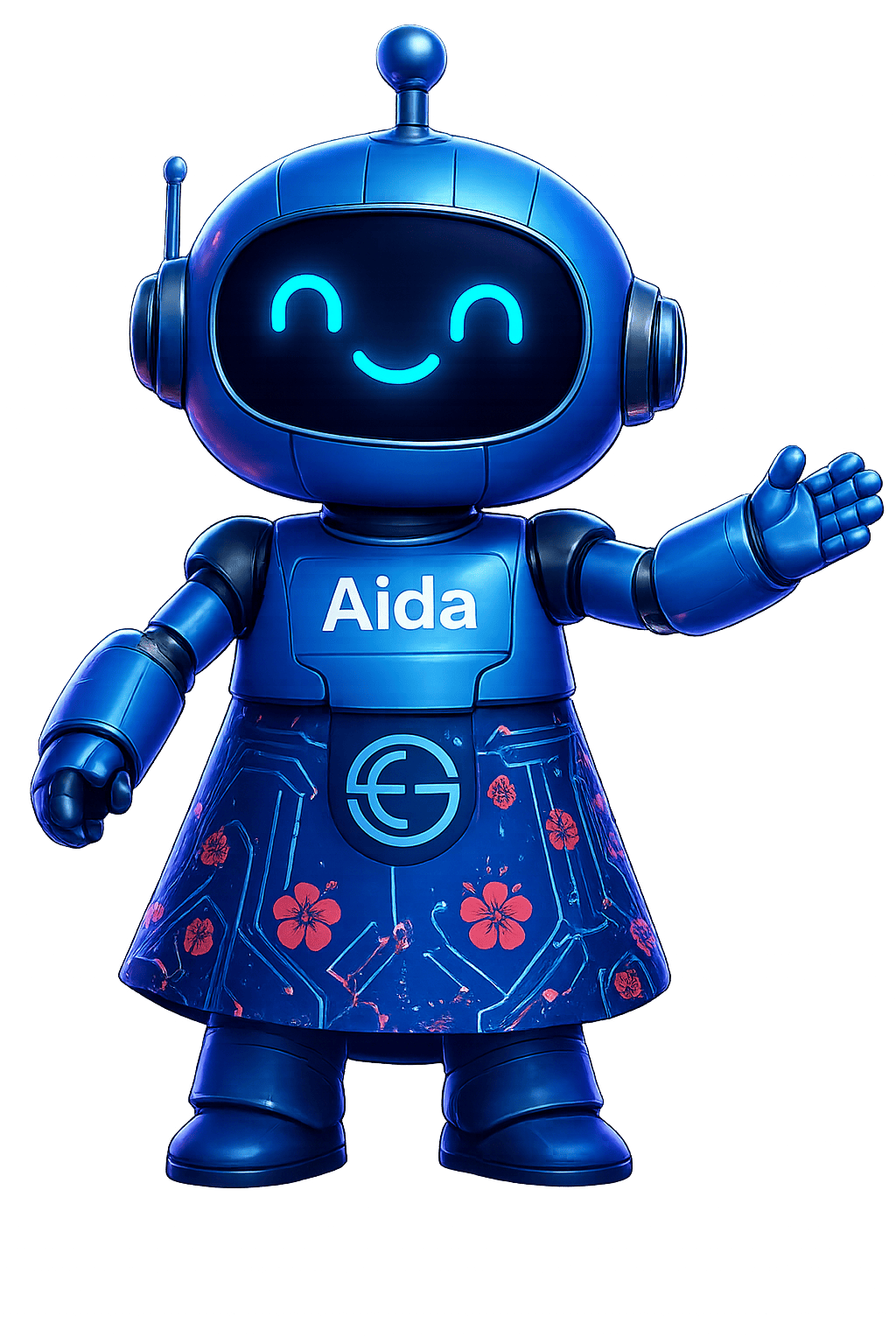
EGK Agentic STEMOS is Malaysia's first and only fully agentic AI STEM education application — designed for students from Year 1 primary school through Form 5 secondary school. At its heart is Aida, a bilingual AI teacher powered by xAI Grok who speaks aloud, remembers every student's progress, and adapts her teaching in real time using the Socratic method.
STEMOS combines three breakthroughs in a single app: an AI tutor that truly adapts, an Augmented Reality science lab with over 100,000 on-demand 3D models, and a curriculum engine that maps every lesson, quiz, and AR session to the exact KPM syllabus document your child studies in school.
Contact: sales@egkhor.com.my · +604-505 9700
Address: 8 Lintang Beringin 8, Diamond Valley Industrial Park, 11960 Batu Maung, Penang
Co. Reg: 202501002992 (1604405-X)
What STEMOS Delivers
Agentic AI Teacher
Aida observes, remembers, and adapts every session to your child
Bilingual Voice
Speaks every lesson aloud in English or Bahasa Malaysia
AR Science Lab
100,000+ 3D models placed in real space via ARKit
100% MOE Aligned
Every lesson maps to the official KPM KSSR / KSSM syllabus
Smart Quizzes
AI-generated quizzes after every lesson with star rewards
On-Device Privacy
All data stored locally — no cloud, no tracking
Platforms & System Requirements
| Platform | Min. Version | AR Lab | Voice | Offline |
|---|---|---|---|---|
| 📱 iOS (iPhone / iPad) | iOS 16.0+ | ✓ ARKit | ✓ Full | ✓ Full |
| 🤖 Android (Phone / Tablet) | Android 9.0+ | ARCore supported devices | ✓ Full | ✓ Full |
Installation
📱 iOS — App Store
- 1Open the App Store on your iPhone or iPad.
- 2Search "EGK Agentic STEMOS" — or use this direct link: apps.apple.com
- 3Tap Get to download. The base app is free — Pro features unlock via in-app subscription.
- 4Grant permissions when prompted — Camera (required for AR), Microphone (optional, for voice input), Speech (for Aida's voice output).
- 5Launch the app — Aida greets you on first launch and guides you through setup.
🤖 Android — Google Play
- 1Open Google Play Store on your Android device.
- 2Search "EGK Agentic STEMOS" (package:
com.egkhor.agenticstemos) or visit the direct Play Store link. - 3Tap Install. The app will request Camera permission on first AR session.
- 4If prompted to install ARCore (Google Play Services for AR), accept — it is a free Google system component.
- 5Launch and meet Aida — she sets up your profile in minutes.
First Launch & Setup
When you open EGK Agentic STEMOS for the first time, Aida guides you through a brief personalisation sequence — no account or login required.
Step 1 — Enter Student Name
Aida asks for the student's name. She will use this throughout every session to personalise greetings, quiz results, and progress milestones.
Step 2 — Select School Level
Choose your curriculum level:
- KSSR — Primary School, Year 1 to Year 6 (ages 7–12)
- KSSM — Secondary School, Form 1 to Form 5 (ages 13–17)
This selection determines which lessons, topics, and quiz questions Aida serves. You can change this at any time from Settings.
Step 3 — Choose Language Preference
Select English or Bahasa Malaysia as Aida's default speaking language. This affects her spoken voice, lesson narration, and quiz read-aloud. You can switch languages mid-session at any time.
Step 4 — Camera Permission for AR
When you first open the AR Lab, iOS or Android will request camera permission. This is required for Augmented Reality. If you deny it, you can enable it later in your device Settings → Apps → EGK Agentic STEMOS → Permissions.
Who Is Aida?
Aida is EGK's AI education ambassador and the engine behind EGK Agentic STEMOS. She is not a simple chatbot with scripted answers — she is a fully agentic AI teacher powered by xAI Grok, one of the world's most advanced language models.
Aida — AI STEM Teacher
Agentic · Bilingual · Curriculum-aware · Adaptive
Powered by xAI Grok · Trained on KPM KSSR & KSSM syllabus
Available 24 hours a day, 7 days a week
What Makes Aida Agentic?
Most educational apps serve fixed content. Aida is different — she is agentic, meaning she:
- Observes how a student responds to each question and explanation
- Decides what to teach next based on mastery data, not a fixed schedule
- Adapts her explanation style — simpler or more advanced — based on student responses
- Acts independently — recommending revision, introducing new topics, or calling up AR models without being prompted
Malaysian at Heart
Aida is specifically trained to use Malaysian examples in every explanation. She references the Petronas Twin Towers when explaining structural forces, uses the Harimau Malaya when teaching biology, and applies the Bunga Raya to discuss plant biology. This makes every concept feel familiar and relevant to your child's lived experience.
Voice & Language
Aida speaks every interaction aloud — lessons, quiz results, AR introductions, encouragement, and corrections. This makes STEMOS suitable for younger students who are still developing reading fluency, and creates a genuine classroom-in-your-pocket experience for older students.
Supported Languages
- 🇲🇾 Bahasa Malaysia (BM) — Full voice support, curriculum terms in BM
- 🇬🇧 English (EN) — Full voice support, bilingual STEM terminology
Switching Languages
- 1Tap the language toggle (🇲🇾 / 🇬🇧) visible in the top bar of the main session screen.
- 2The change takes effect immediately — Aida switches language in her very next spoken sentence. No restart required.
- 3Aida remembers your preference — the chosen language is saved and applied automatically from your next session onward.
Voice Volume
Aida's voice respects your device's system volume. Use your device's physical volume buttons to adjust. In a quiet classroom environment, we recommend using headphones for the best experience.
Aida Remembers — The Learning Memory Graph
STEMOS maintains a private, on-device Learning Memory Graph for every student. This is the core of what makes Aida agentic — she does not start fresh every session. She knows exactly where your child has been, what they have mastered, and where they need help.
What Aida Tracks
Weak Topics
3 consecutive wrong answers triggers a revision flag on that topic
Mastery Score
Each topic has a 0–100% mastery score updated after every quiz
Smart Next Step
Aida always knows what to teach next based on current mastery
Stars Earned
Stars from correct answers accumulate and are displayed on the Progress Dashboard
Language Preference
Aida remembers BM or English and defaults to it automatically
Session History
Topic coverage and time spent tracked per day for parent review
Mastery Badge Unlock
Reach 80% accuracy on any topic to unlock its Mastery Badge. When a badge unlocks, Aida celebrates with a spoken announcement and an AR confetti effect — coloured particles burst in your camera view as a reward.
Weak Topic Detection
When a student answers a question incorrectly 3 times in a row on any topic, Aida flags that topic as a Weak Area. She will:
- Pause forward progress and offer a revision session on the weak topic
- Use a different explanation style — simpler language, a new analogy, or an AR model
- Mark the topic on the Progress Dashboard with a 🔴 indicator
- Return to the topic automatically in a future session until mastery improves
The Socratic Method
Aida is built around the Socratic method — the gold standard of effective teaching, used in the world's best schools and universities. Instead of giving answers immediately, she guides students to think and discover answers themselves.
How It Works in Practice
- 1Student asks a question. Example: "Aida, why does the sky look blue?"
- 2Aida responds with ONE guiding question before answering. Example: "That's a great question! First, tell me — what do you know about how light travels through different materials?"
- 3Student attempts an answer. Aida acknowledges what's correct, gently corrects misunderstandings.
- 4Aida builds on the student's response to deliver the complete explanation — tailored to what the student already demonstrated they understand.
Lessons & Curriculum
Every lesson in STEMOS is mapped to the exact KPM syllabus document — not generic STEM content. There is no filler material; every topic your child studies in school exists in STEMOS with a corresponding AI-taught lesson.
KSSR — Primary School Curriculum
Subjects Covered
Starting a Lesson
- 1Open STEMOS and tap the Lessons tab on the bottom navigation bar.
- 2Browse by subject — scroll through Science, Physics, Chemistry, Biology, Mathematics, or Technology & AI.
- 3Tap any topic — Aida begins teaching immediately, speaking aloud as the lesson text appears on screen.
- 4Ask Aida anything — type or tap the microphone to ask follow-up questions at any point in the lesson. She will pause and respond before continuing.
- 5Complete the lesson — Aida announces the lesson is done and transitions automatically to the Smart Quiz (see Section 10).
Smart Quiz System
After every lesson, Aida generates a fresh set of curriculum-aligned quiz questions — not pulled from a fixed question bank, but created specifically for the topic that was just taught, at the right difficulty for this student at this moment.
Quiz Flow
- 1Aida announces the quiz aloud — "Great lesson! Let's see what you've learnt. Ready for a quick quiz?"
- 2Questions appear one at a time. Each question includes 4 multiple-choice options. Aida reads the question aloud.
- 3Tap your answer. Aida immediately responds with audio feedback — "That's correct! Excellent work, [name]!" or "Not quite — let me explain."
- 4For wrong answers: Aida gives the correct answer with a full explanation before moving to the next question.
- 5Quiz Results screen — score, stars earned, and mastery update displayed. If 80%+ is reached, the Mastery Badge unlocks with AR confetti.
Star Rewards
AR Lab — See Science in Your Room
The STEMOS AR Lab is powered by Apple ARKit (iOS) and Google ARCore (Android), combined with Sketchfab's library of over 100,000 scientific 3D models. When Aida introduces an AR model, it downloads on demand and is placed directly in your physical space through your camera.
Opening the AR Lab
- 1Tap the AR Lab tab in the bottom navigation, or ask Aida: "Show me a [topic] in AR."
- 2Point your camera at a flat surface — a desk, floor, or table. STEMOS scans the surface in 1–3 seconds.
- 3Tap the surface to place the 3D model. The model appears and Aida narrates its introduction aloud.
- 4Interact with the model — pinch to resize, drag one finger to reposition, use two fingers to rotate.
- 5Tap the info button (ℹ️) on the model to hear Aida explain its key features in detail.
Available AR Models (Examples)
Beyond these examples, Aida can search Sketchfab for any scientific model you request — simply ask "Show me a [topic] in AR" and she will find and load the best available model.
AR Gestures
| Gesture | Action |
|---|---|
| Tap flat surface | Place 3D model in the real world |
| Pinch in / out | Resize model (make smaller or larger) |
| One finger drag | Move model to a new position |
| Two finger rotate | Spin model 360 degrees |
| Double-tap model | Reset to original size and position |
| Tap ℹ️ icon | Trigger Aida's spoken explanation of the model |
Progress Dashboard
Tap the Progress tab to view a comprehensive overview of your child's learning journey — all displayed visually and explained by Aida in spoken language.
Dashboard Sections
- Mastered Topics — all topics at 80%+ accuracy, shown with green badges ✅
- Weak Spots — topics flagged for revision, shown with red indicators 🔴 and recommended revision sessions
- Stars Collected — total stars earned across all quizzes, displayed as a running tally ⭐
- Badges Earned — all mastery badges unlocked, displayed as a visual collection
- Subjects Progress — per-subject completion percentage bars (Science, Physics, Chemistry, Biology, Maths, Technology)
- Recommended Next — Aida's suggested next lesson or revision, based on the full Memory Graph
Parent / Teacher View
The Progress Dashboard is fully readable by parents and teachers without any special login. Simply open the Progress tab and review. Aida can summarise the student's progress aloud on request: "Aida, how am I doing this week?"
Plans & Pricing
EGK Agentic STEMOS uses a freemium model — the base experience is available to every Malaysian student, with an optional Pro subscription that removes AI conversation limits and unlocks the full adaptive learning engine.
- 3 AI conversations with Aida per day
- All AR modules — always available
- Pinch, resize & rotate 3D models
- Progress tracking & mastery stars
- Bilingual — English & Bahasa Malaysia
- Unlimited AI conversations with Aida
- Full bilingual voice in every session
- All KSSR & KSSM modules active
- Adaptive mastery tracking & weak-topic steering
- Personalised quiz generation after every lesson
- Mastery badge + AR confetti celebrations
Managing Your Subscription (iOS)
- 1Open Settings on your iPhone or iPad.
- 2Tap your Apple ID at the top → Subscriptions.
- 3Find EGK Agentic STEMOS — tap to manage, cancel, or change plan.
Privacy & Data
Student privacy is not an afterthought in STEMOS — it is the foundation of the entire architecture.
On-Device Storage
All student data — name, progress, mastery scores, stars, weak topics, session history, and language preference — is stored exclusively on the student's own device. There are no external databases, no cloud backups, and no data transmitted to EGK servers.
AI Conversation Privacy
When a student asks Aida a question, the text of that question is sent to the xAI Grok API to generate a response. This is the only data that leaves the device. No name, no progress data, and no device identifiers are included in these API calls. Refer to xAI's privacy policy at x.ai/privacy for API data handling details.
Camera Data
Camera data for the AR Lab is processed entirely on-device by ARKit / ARCore. No camera images or video frames are stored or transmitted. The camera feed is used only in real time for plane detection and model placement.
Deleting Data
To permanently erase all STEMOS data: uninstall the app. All locally stored progress, preferences, and cached AR models are removed with the app. There is no server-side data to request deletion of.
Frequently Asked Questions
Is STEMOS suitable for my child's year level?
Yes — select KSSR for primary school (Year 1–6) or KSSM for secondary school (Form 1–5) during setup. Aida calibrates her language complexity, lesson depth, and quiz difficulty automatically to the selected level.
How many subjects does STEMOS cover?
Six subjects: Science, Physics, Chemistry, Biology, Mathematics, and Technology & AI. All topics within each subject are mapped to the official KPM syllabus for both KSSR and KSSM levels.
Does STEMOS work without internet?
Lesson content and previously downloaded AR models work fully offline. New Aida AI conversations (responses to student questions) and downloading new AR models require internet. We recommend connecting to Wi-Fi when starting a new topic to ensure full functionality.
My child's AR Lab isn't working. What should I check?
- Ensure Camera permission is granted: Settings → Apps → EGK Agentic STEMOS → Permissions → Camera: Allow
- Use a well-lit room — AR plane detection requires adequate light
- Point camera at a flat, non-reflective surface for 2–3 seconds before tapping
- On Android: confirm ARCore is installed (Google Play Services for AR)
- Force-quit and reopen the app if the camera view appears frozen
Aida isn't speaking. How do I fix this?
- Check your device volume — ensure it is not muted or on silent mode
- On iOS: check the Ring/Silent switch on the side of the iPhone
- Ensure Speech permissions are granted in Settings → Accessibility or Settings → STEMOS
- Restart the app — Aida's TTS engine re-initialises on launch
Can Aida's AI limit (3/day on Lite) be increased without subscribing?
The 3-conversation daily limit on STEMOS Lite resets at midnight local time. If your child regularly reaches the limit, upgrading to STEMOS Pro (RM 14.90/month) removes all limits. There is no option to purchase individual extra conversations.
Can I use STEMOS for tuition or classroom teaching?
Absolutely. STEMOS is designed for both self-paced individual use and structured classroom deployment. For school licensing enquiries, volume discounts, and teacher dashboard access, email sales@egkhor.com.my.
Is Aida powered by ChatGPT?
No. Aida is powered by xAI Grok — not OpenAI's ChatGPT or any other model. xAI Grok was selected for its strong factual reasoning, real-time knowledge, and superior handling of science and mathematics content.
My progress was lost after reinstalling. Can it be recovered?
Progress is stored exclusively on-device. Uninstalling STEMOS permanently removes all local data — there is no cloud backup or recovery option by design (privacy by default). We recommend reviewing the Progress Dashboard regularly and taking screenshots of important milestone badges.
Who is Mushi?
Mushi (🌸) is EGK's playful mascot — you may see him on the EGK website. He is Aida's friend and EGK's broader brand ambassador. In STEMOS, Aida is the primary character; Mushi appears in some EGK platform materials and the website corner widget.
Contact & Support
📞 Phone
+604-505 9700
🏢 Address
8 Lintang Beringin 8,
Diamond Valley Industrial Park,
11960 Batu Maung, Penang, Malaysia
🌐 Website
Support Hours
Monday – Friday: 9:00 AM – 5:00 PM MYT (UTC+8). We respond to all enquiries within 1 business day.
Bug Reports
To report a bug or unexpected behaviour, email us with the following:
- Device model and OS version (e.g. iPhone 14 Pro, iOS 17.4)
- STEMOS version number (tap Settings → About inside the app)
- Which feature was in use when the issue occurred
- A description of what happened vs what you expected
- Screenshot or screen recording if available
EGK Microelectronic Solutions Group Sdn. Bhd. · Co. Reg: 202501002992
© 2026 All Rights Reserved · IsaacLab Developer Account · 🇲🇾 Proudly Made in Penang